Homepage / Electronics / Computers & Accessories / Computer Components / Internal Components / Motherboards
Gigabyte A620M DS3H Motherboard: Ryzen 8000 CPU, High-Speed DDR5 & PCIe 4.0

|
Prices shown may differ from Amazon due to dynamic updates, promotions, inventory changes, or item condition (new/used/refurbished).
The final price and availability are confirmed on Amazon at checkout.
Learn more.
|
|
 Buy on Amazon
|
|
|
As an Amazon Associate, we earn from qualifying purchases. Prices and availability change frequently;
the final terms are displayed on Amazon’s website at the time of purchase.
Pricing Policy.
|
|
| Brand: | GIGABYTE |
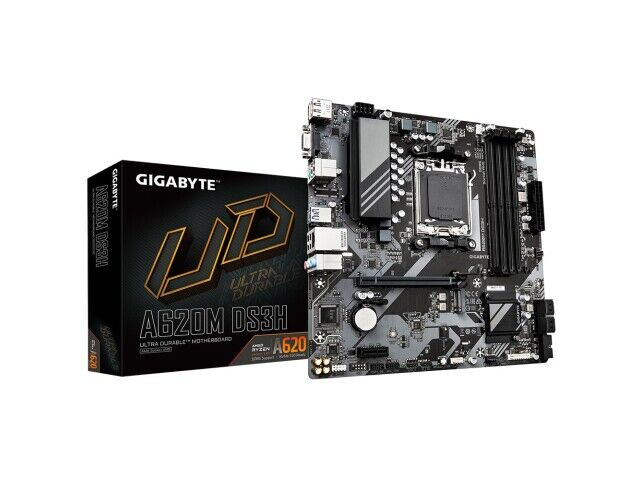
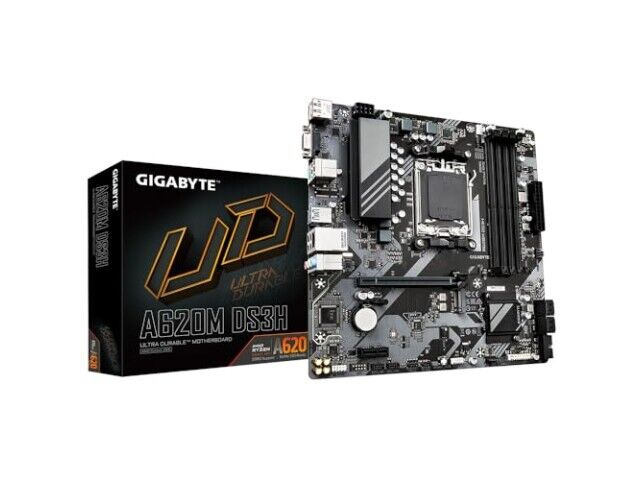
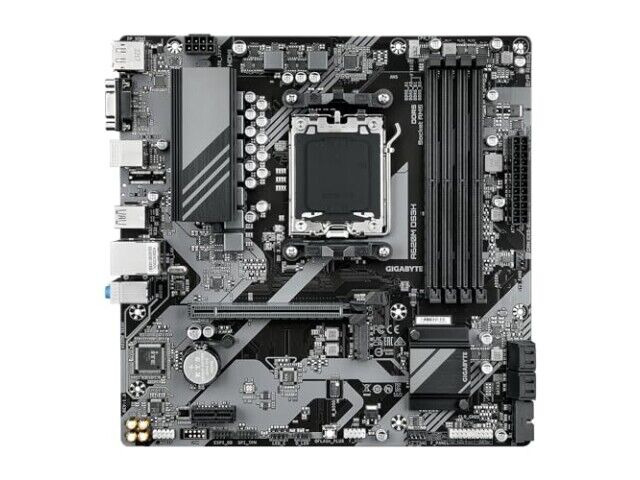
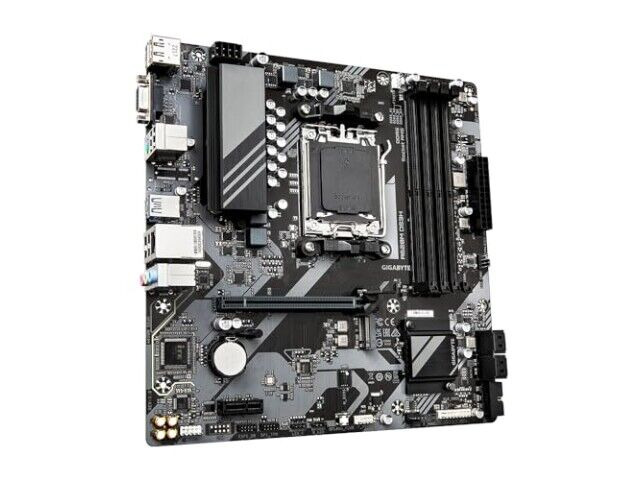
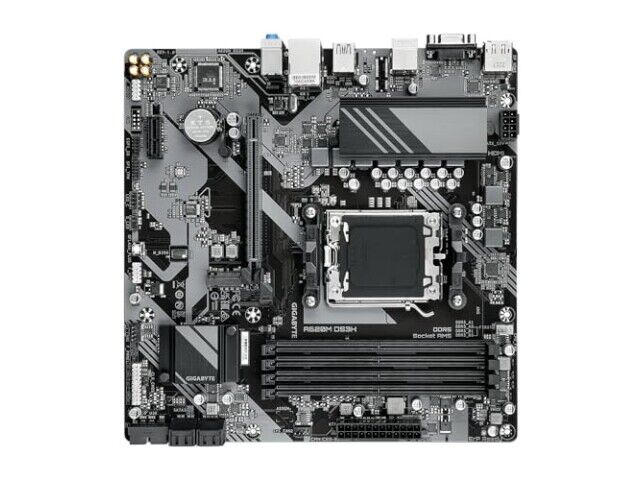
The Gigabyte A620M DS3H motherboard is designed for users seeking high-performance computing with support for the latest AMD Ryzen 8000 series processors. It features a robust 5+2+2 phase digital VRM solution, ensuring stable and efficient power delivery to the CPU, which is crucial for maintaining performance during intensive tasks or gaming sessions. This motherboard supports dual-channel DDR5 memory with up to four SMD DIMMs, and it is compatible with both AMD EXPO and Intel XMP memory modules, allowing for easy overclocking and enhanced performance.
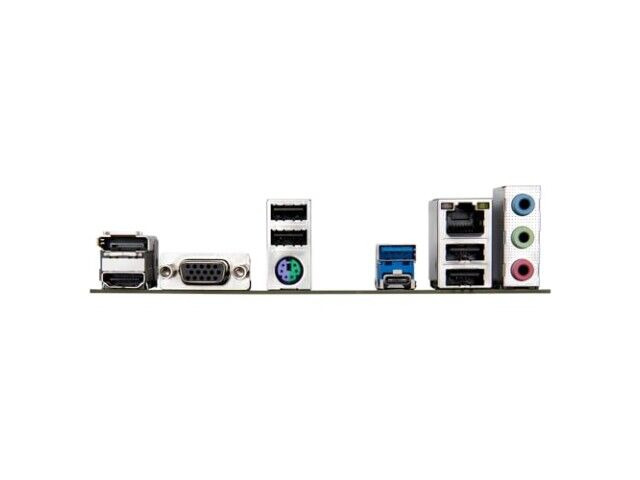
The board includes a PCIe 4.0 x4 M.2 connector for fast storage options, making it ideal for users who require high-speed data access. The PCIe x16 slot features an EZ-Latch design for quick and easy installation or removal of graphics cards. Additionally, the motherboard offers a GbE LAN port for reliable and fast internet connectivity, along with multiple display outputs including DP, HDMI, and D-Sub, providing flexibility for various monitor setups.
The Smart Fan 6 feature includes multiple temperature sensors and hybrid fan headers with FAN STOP technology, allowing for precise thermal management and noise control. The Q-Flash Plus utility enables users to update the BIOS without the need to install the CPU, memory, or graphics card, simplifying the maintenance process.
This motherboard is part of GIGABYTE's renowned lineup that includes the AORUS, AERO, and GIGABYTE series. These boards are known for their innovative designs and advanced features, offering exceptional performance and reliability. Whether you're a gamer, content creator, or professional, this motherboard caters to your needs with uncompromising quality and cutting-edge technology.
Brand: Gigabyte
Model: A620M DS3H
Specifications: Supports AMD Ryzen 8000 Series Processors; 5+2+2 Phases Digital VRM; Dual Channel DDR5; PCIe 4.0 x4 M.2; GbE LAN; DP, HDMI, D-Sub; Smart Fan 6; Q-Flash Plus
Features: AMD EXPO & Intel XMP Memory Support; PCIe x16 Slot with EZ-Latch Design; Hybrid Fan Headers with FAN STOP; BIOS Update Without Installing CPU/Memory/Graphics Card
The board includes a PCIe 4.0 x4 M.2 connector for fast storage options, making it ideal for users who require high-speed data access. The PCIe x16 slot features an EZ-Latch design for quick and easy installation or removal of graphics cards. Additionally, the motherboard offers a GbE LAN port for reliable and fast internet connectivity, along with multiple display outputs including DP, HDMI, and D-Sub, providing flexibility for various monitor setups.
The Smart Fan 6 feature includes multiple temperature sensors and hybrid fan headers with FAN STOP technology, allowing for precise thermal management and noise control. The Q-Flash Plus utility enables users to update the BIOS without the need to install the CPU, memory, or graphics card, simplifying the maintenance process.
This motherboard is part of GIGABYTE's renowned lineup that includes the AORUS, AERO, and GIGABYTE series. These boards are known for their innovative designs and advanced features, offering exceptional performance and reliability. Whether you're a gamer, content creator, or professional, this motherboard caters to your needs with uncompromising quality and cutting-edge technology.
Brand: Gigabyte
Model: A620M DS3H
Specifications: Supports AMD Ryzen 8000 Series Processors; 5+2+2 Phases Digital VRM; Dual Channel DDR5; PCIe 4.0 x4 M.2; GbE LAN; DP, HDMI, D-Sub; Smart Fan 6; Q-Flash Plus
Features: AMD EXPO & Intel XMP Memory Support; PCIe x16 Slot with EZ-Latch Design; Hybrid Fan Headers with FAN STOP; BIOS Update Without Installing CPU/Memory/Graphics Card
Customer Reviews (0)
write a review
(No reviews found. You may write the first one!)
(No reviews found. You may write the first one!)